IFTA software,start tofinish.
The only IFTA software that runs the whole quarter end to end — one truck or many. Import fuel card and ELD files, catch duplicate fuel and missing miles, and get tax by state in minutes — for your own trucks or for every carrier you file for.
- 7-day free trial, no credit card
- Q4 due Feb 1 — file on time, stress-free
- Demo with sample data
From the fuel receipt to the filed return.
Six steps of the IFTA quarter in IFTAflow, on desktop and on the phone. Carriers and numbers are fictional demo data.
-
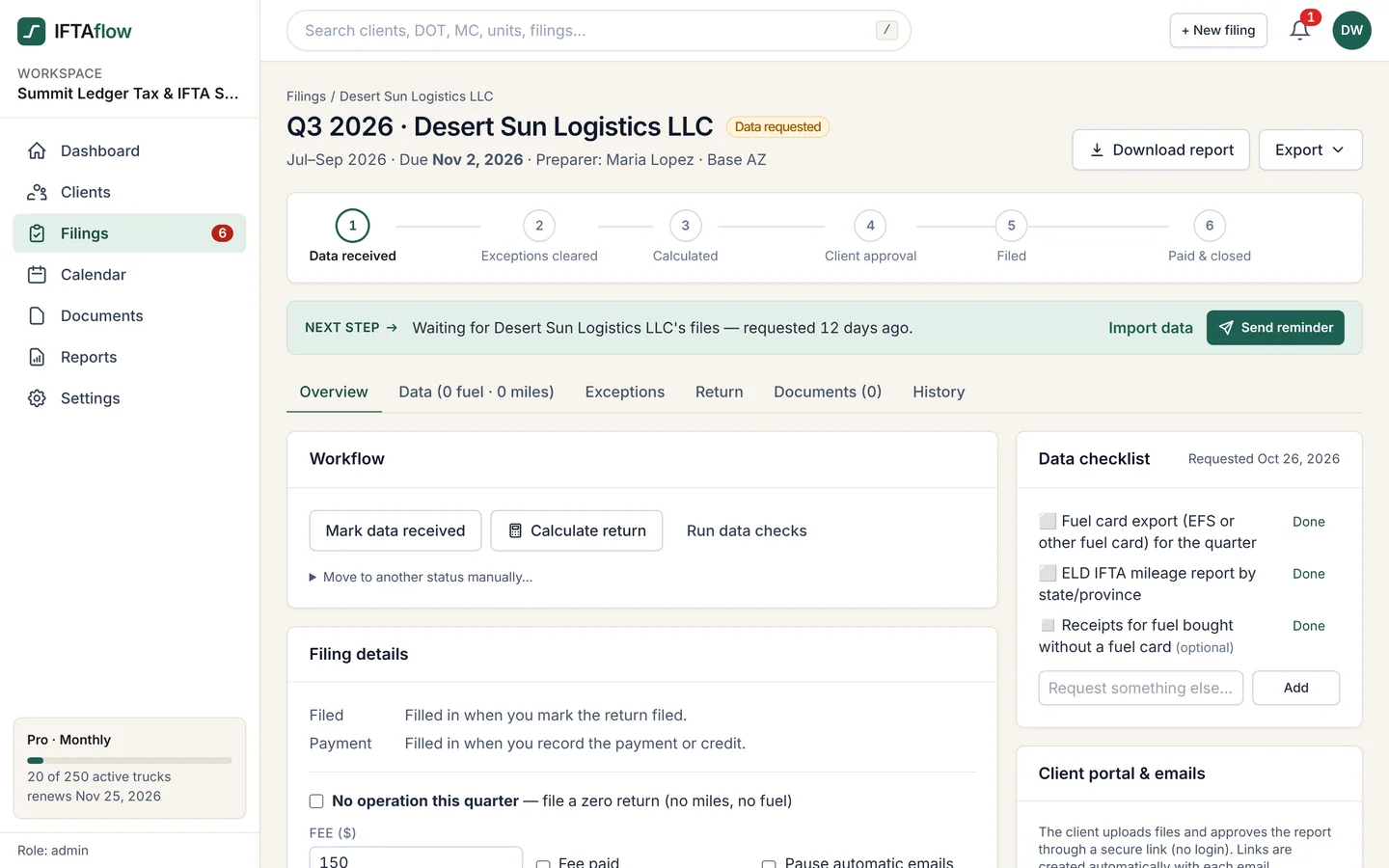
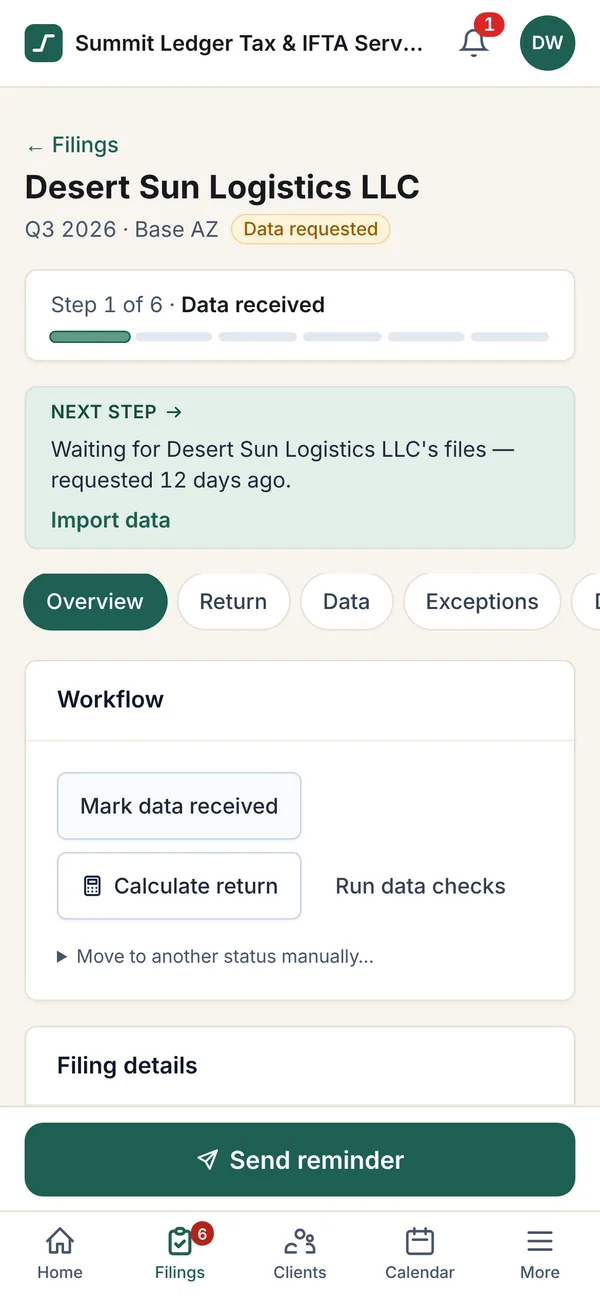
01 · Request Request IFTA data from every carrier
At quarter start each carrier gets a branded email with a secure upload link for its fuel card export and ELD mileage report. Automatic reminders repeat until the files arrive.
-
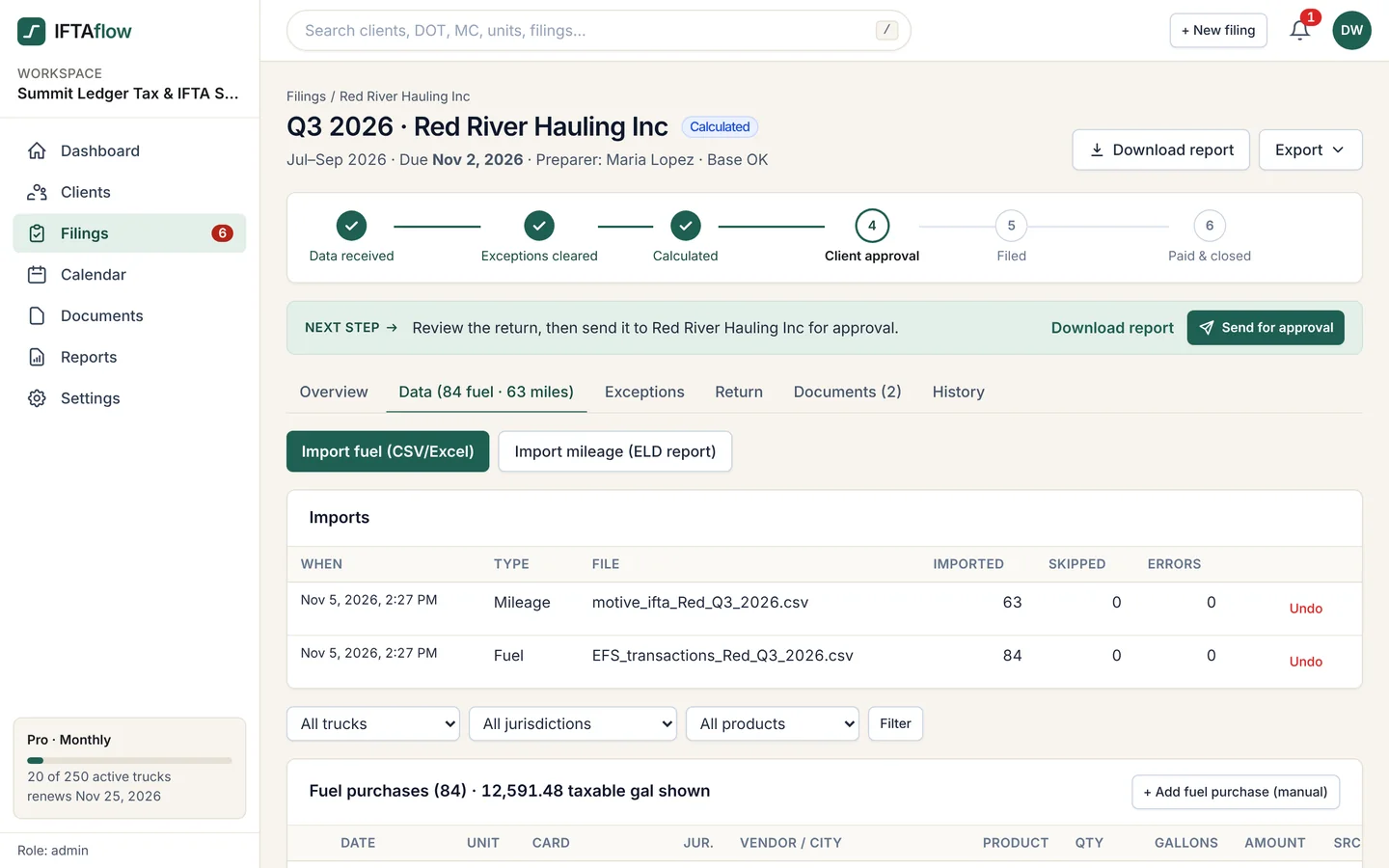
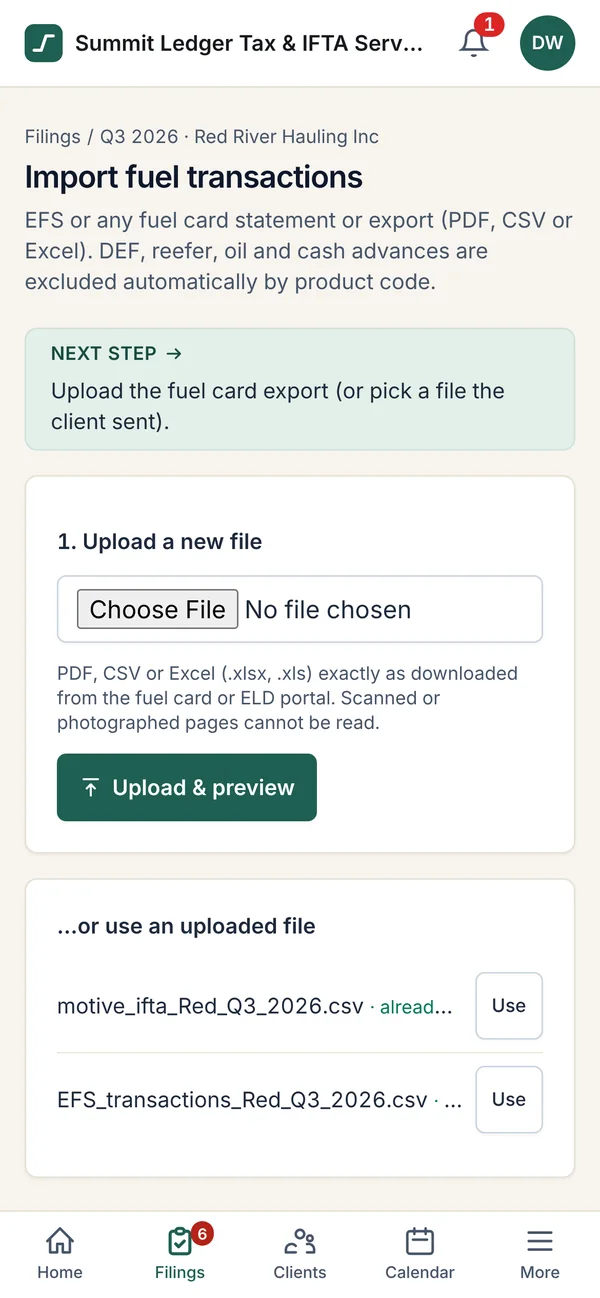
02 · Import Import fuel card and ELD files
Upload EFS, WEX or Comdata fuel transactions and Samsara, Motive or Geotab IFTA mileage as CSV or Excel. Column mappings are saved per carrier, so next quarter is one upload.
-
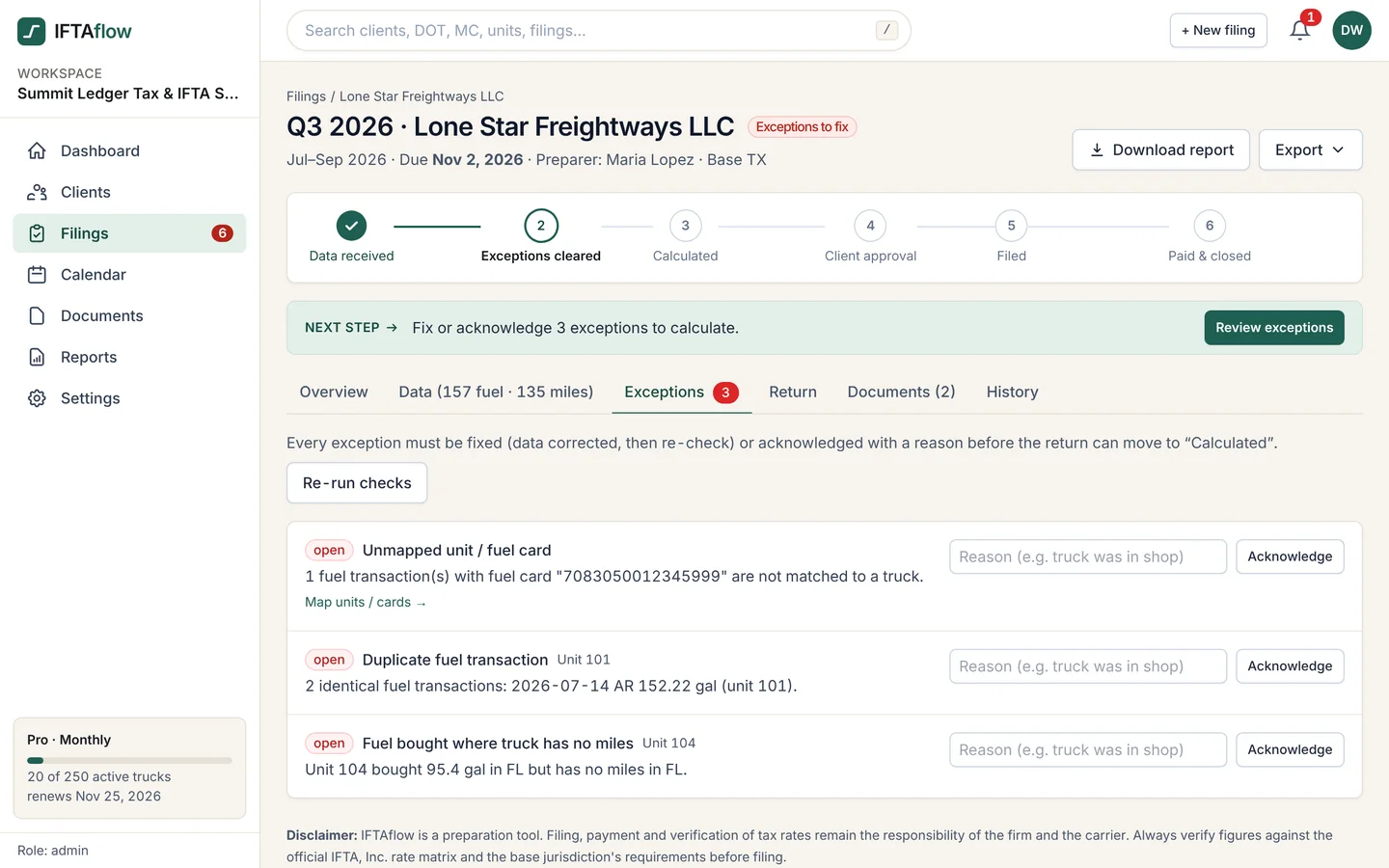
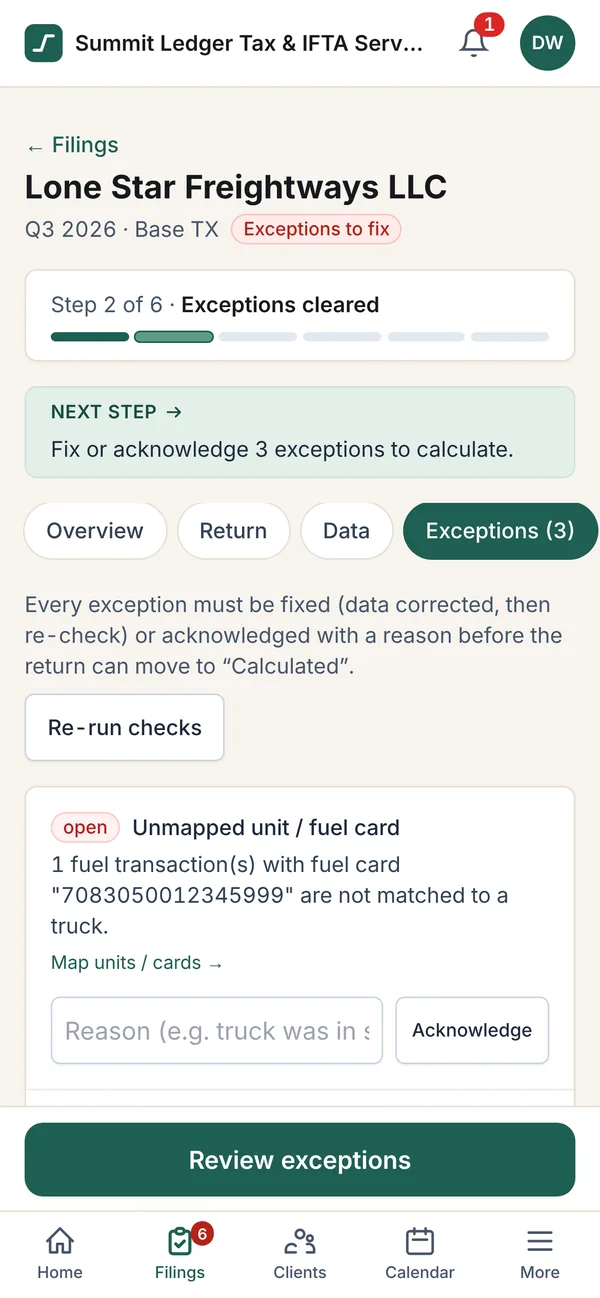
03 · Check Catch IFTA exceptions before the math
Unmapped fuel cards, duplicate fuel purchases, fuel bought where the truck had no miles and MPG outliers are flagged and fixed or acknowledged before the return is calculated.
-
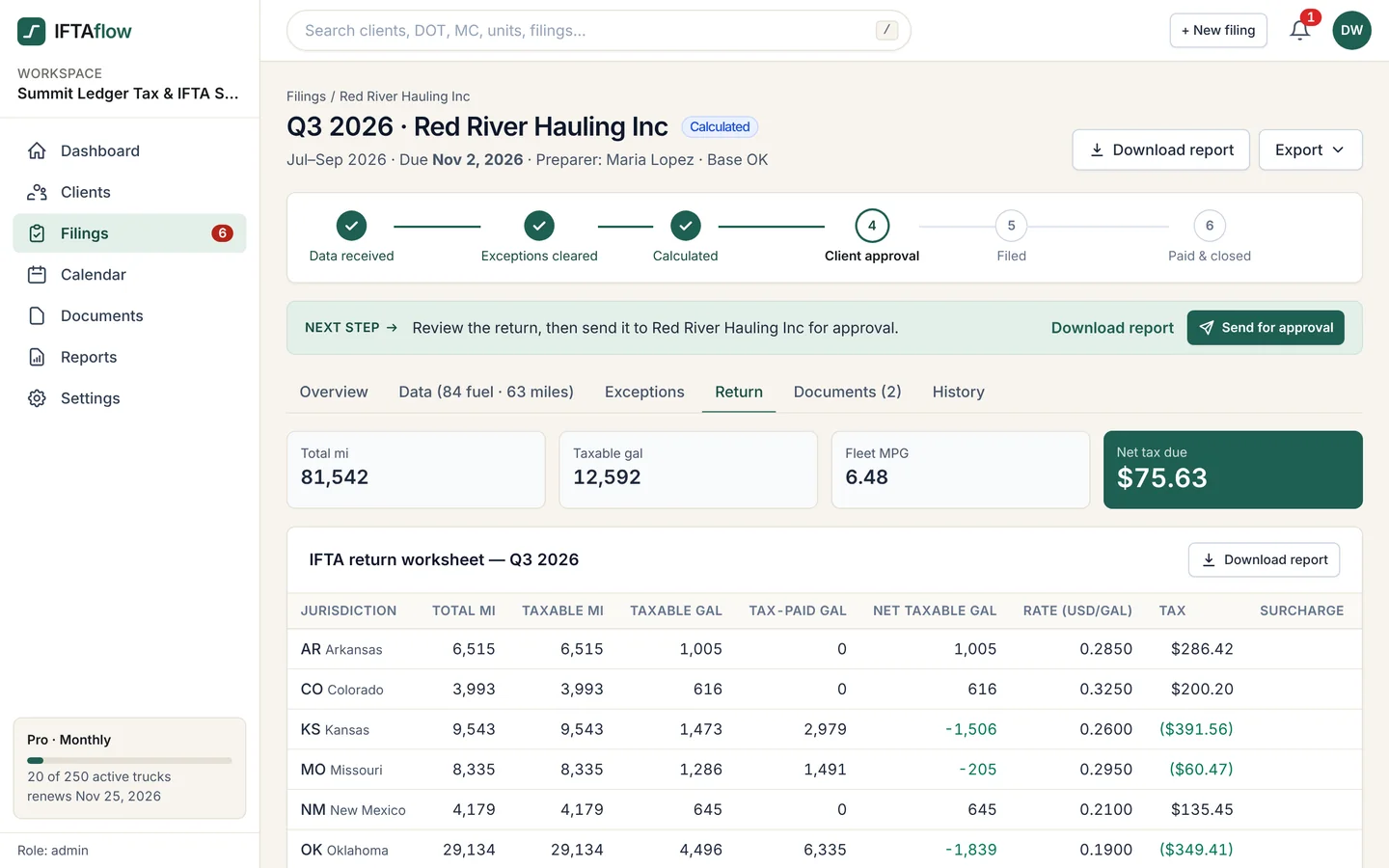
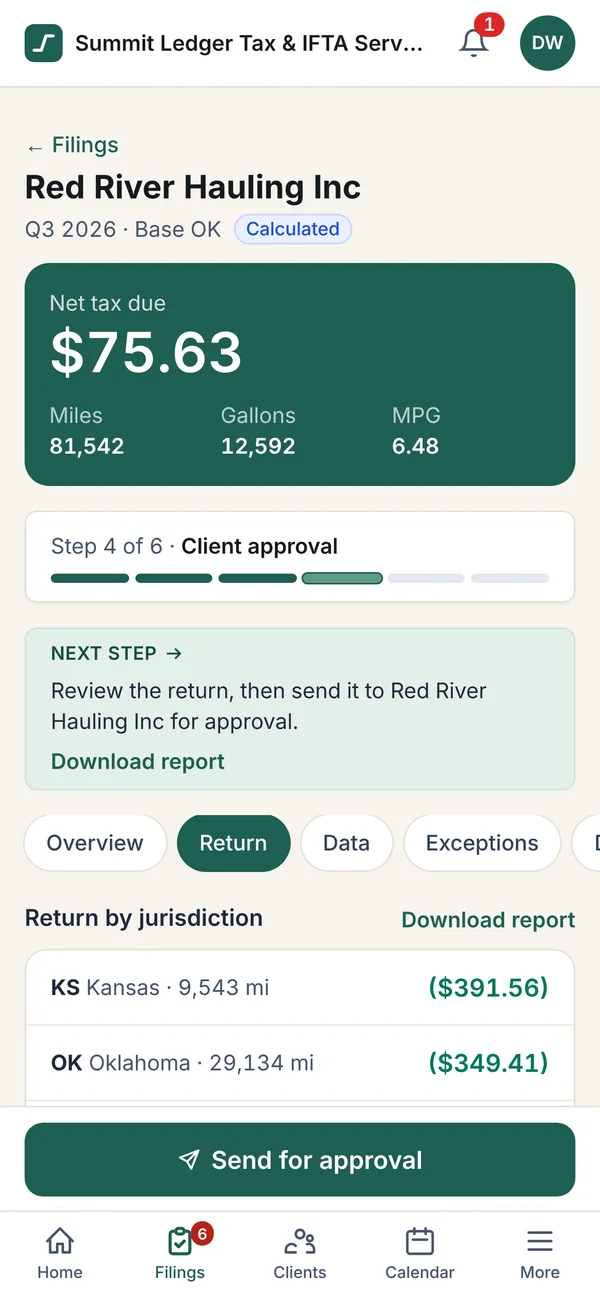
04 · Calculate Fuel tax calculated by jurisdiction
Fleet MPG, taxable and tax-paid gallons and tax due or credit for every state and province, laid out like the IFTA return worksheet, with the net tax due on top.
-
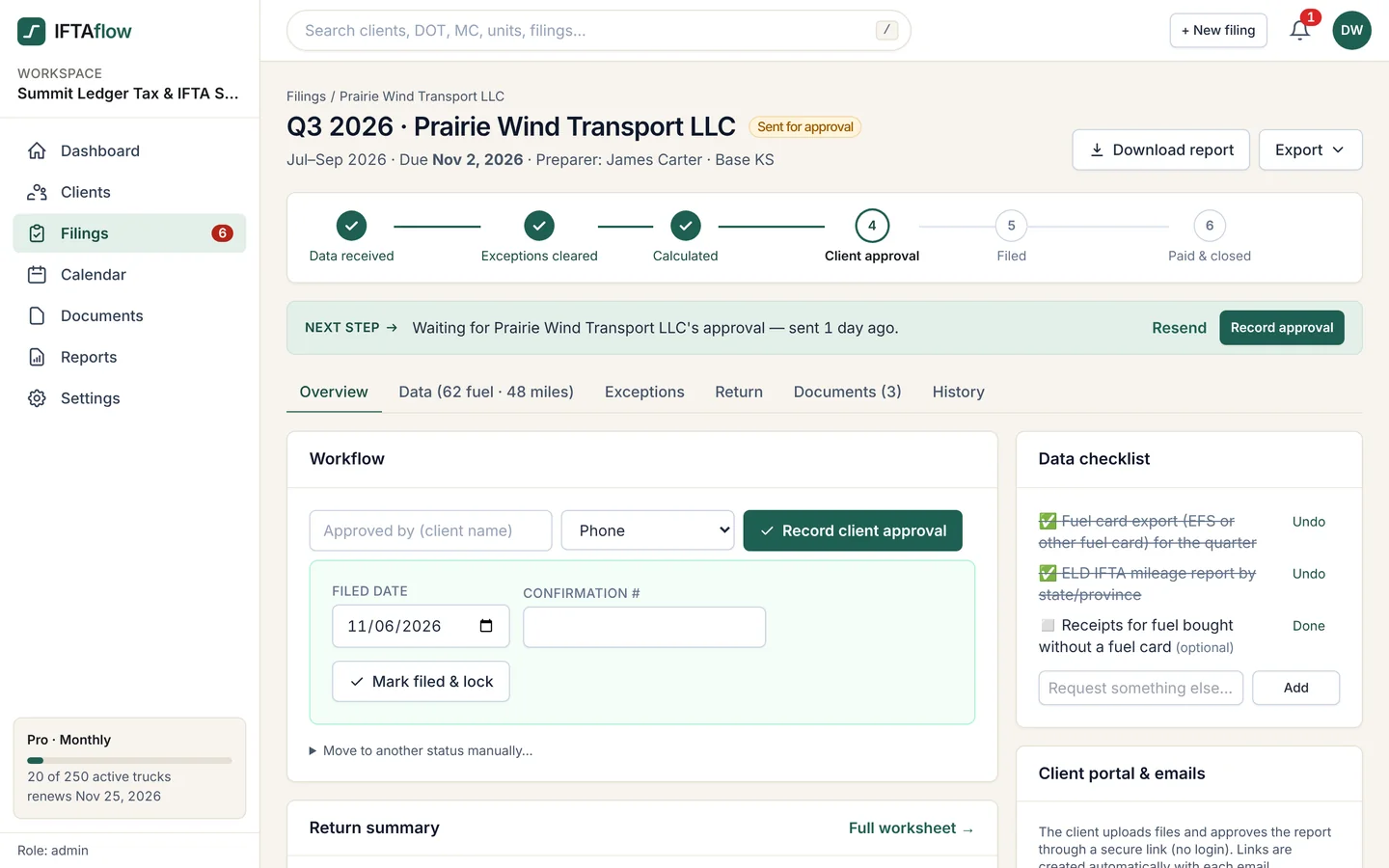
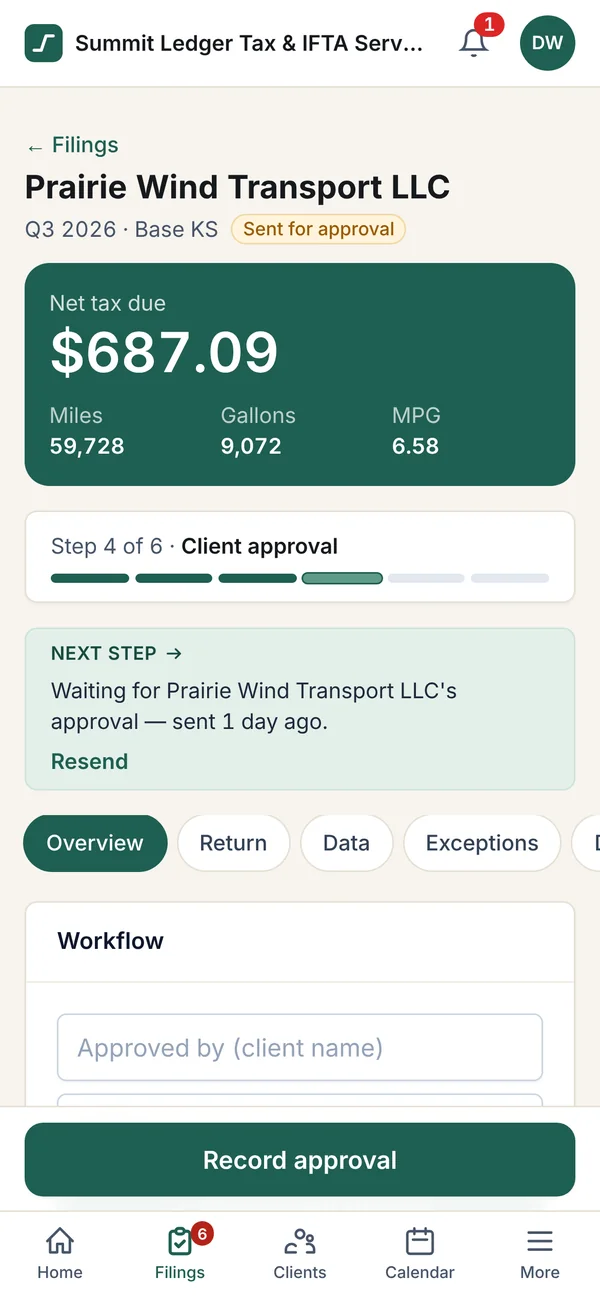
05 · Approve Client approval of the IFTA return
Send the quarterly report to the carrier for approval in one click. IFTAflow records who approved it and when.
-
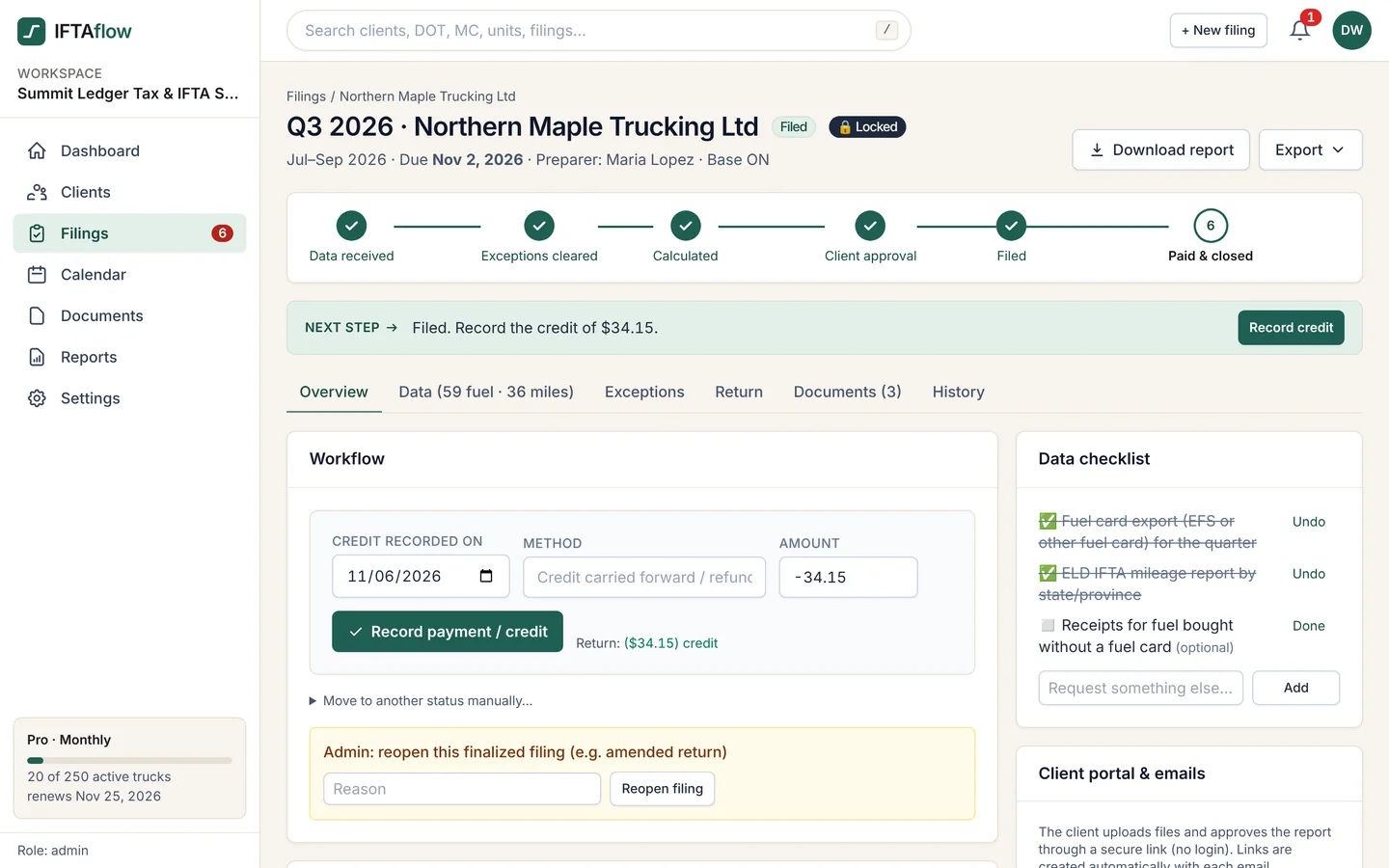
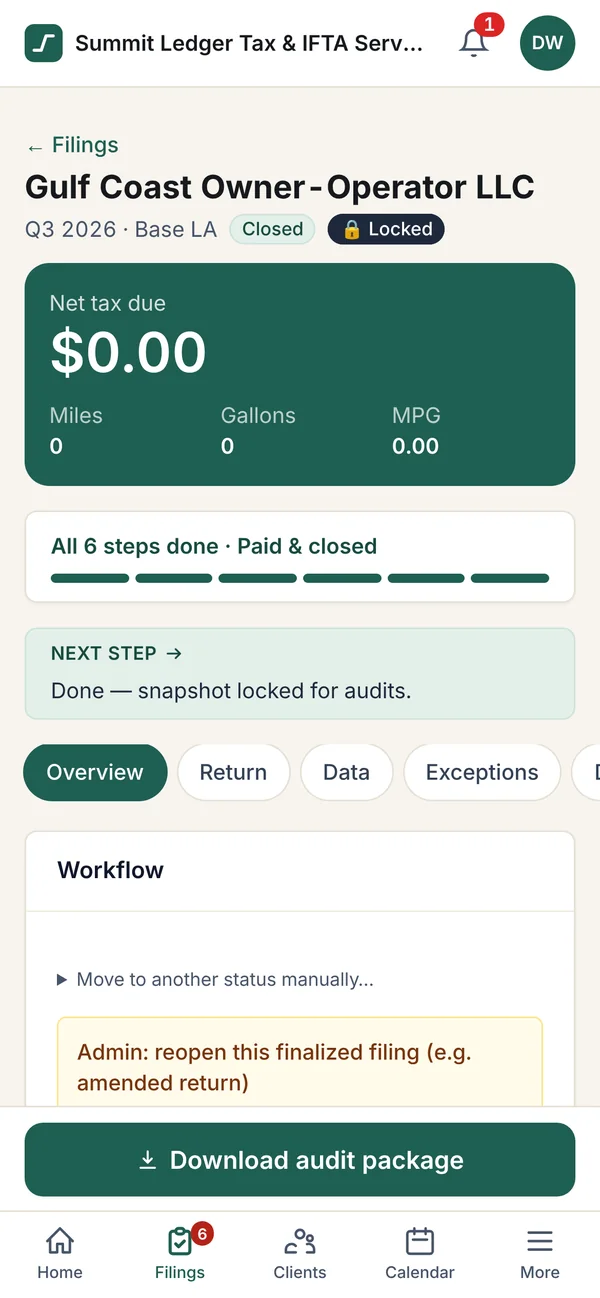
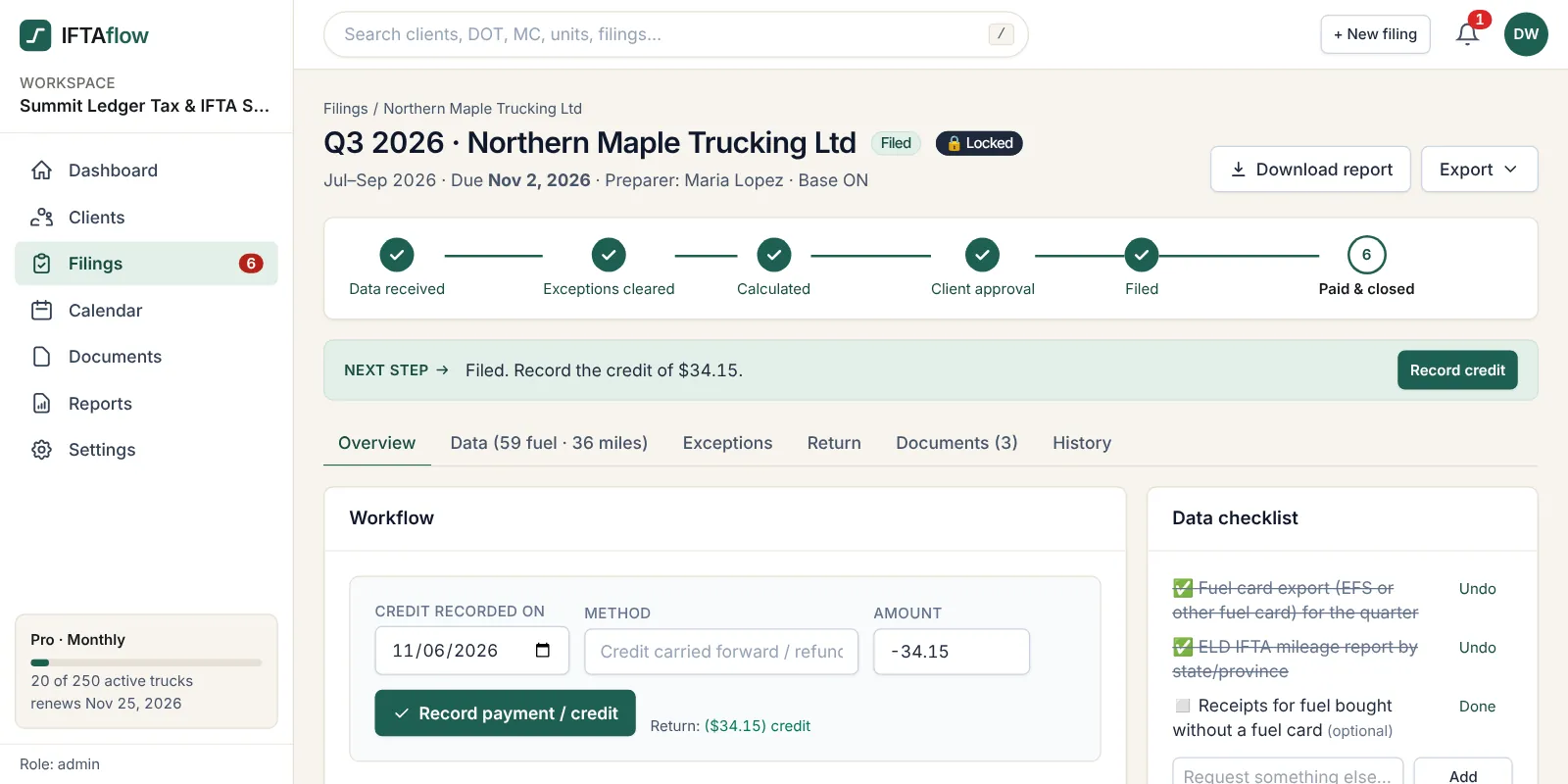
06 · File & archive Filed, locked and audit-ready
Record the filing date, confirmation number and payment or credit. Every quarter locks with its data and tax-rate version for 4 years, with a one-click audit package.
Imports the exports carriers already have
- EFS
- WEX
- Comdata
- Samsara
- Motive
- Geotab
- Excel & CSV
What is IFTAflow?
IFTAflow is the only IFTA reporting software that runs the whole IFTA quarter end to end, in one place — from the first data request to the filed, archived return — for firms that prepare returns for many carriers. Carrier uploads, fuel card and ELD imports, exception checks, the calculation (fleet MPG, taxable and tax-paid gallons, net tax or credit per jurisdiction), client approval, filing records, deadlines and the audit archive live on one board instead of in email, spreadsheets and folders.
Five tools, twenty inboxes, one deadline.
Fuel exports in email. ELD reports in a downloads folder. Math in a spreadsheet. Approvals in a text thread. Due dates on a sticky note. IFTAflow puts the whole quarter — every carrier, every step — into one workflow.
One workflow, from request to filed return
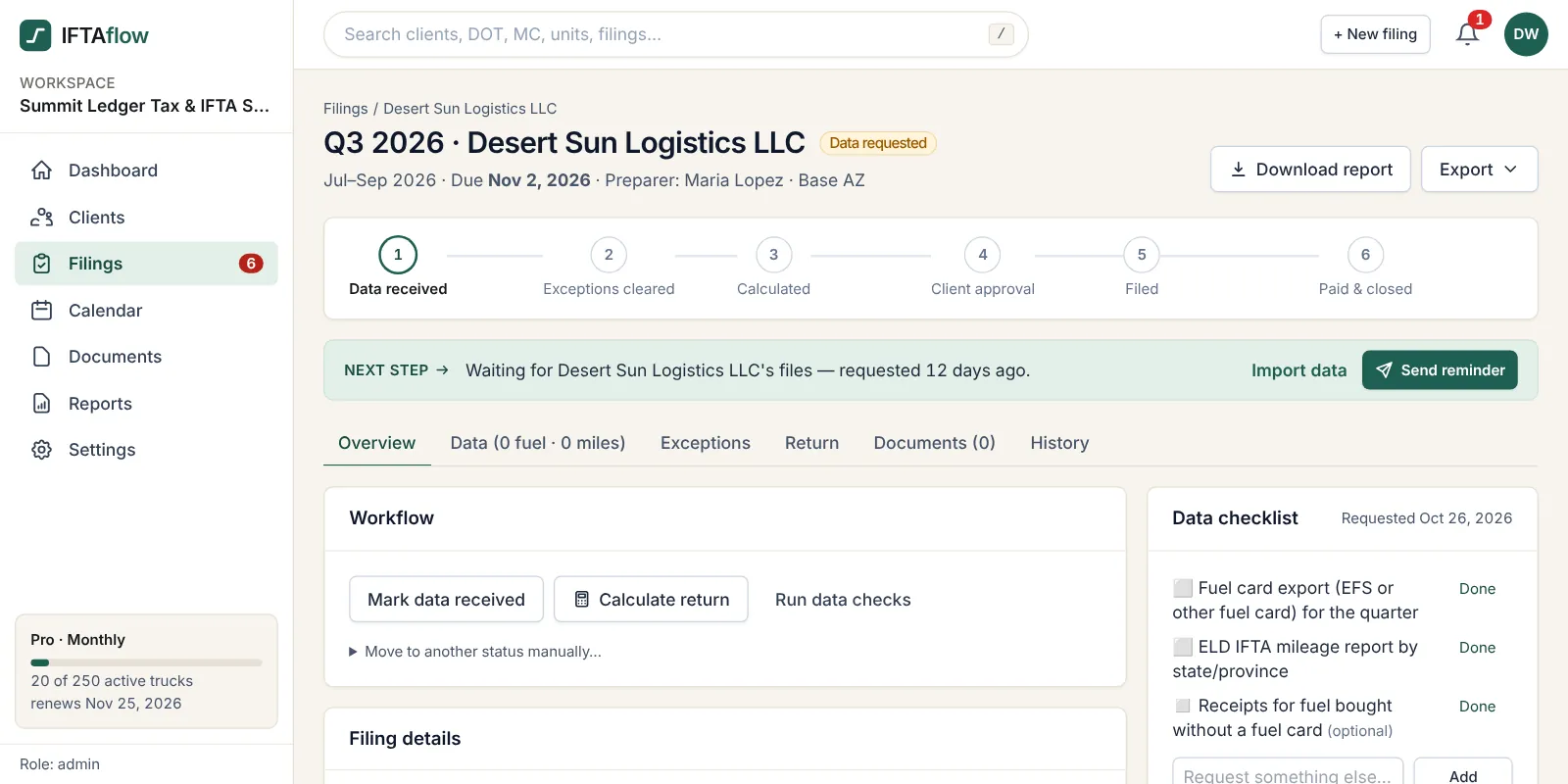 01
Request
At quarter start every client gets a branded email with a secure upload link. Reminders go out on their own until the files arrive.
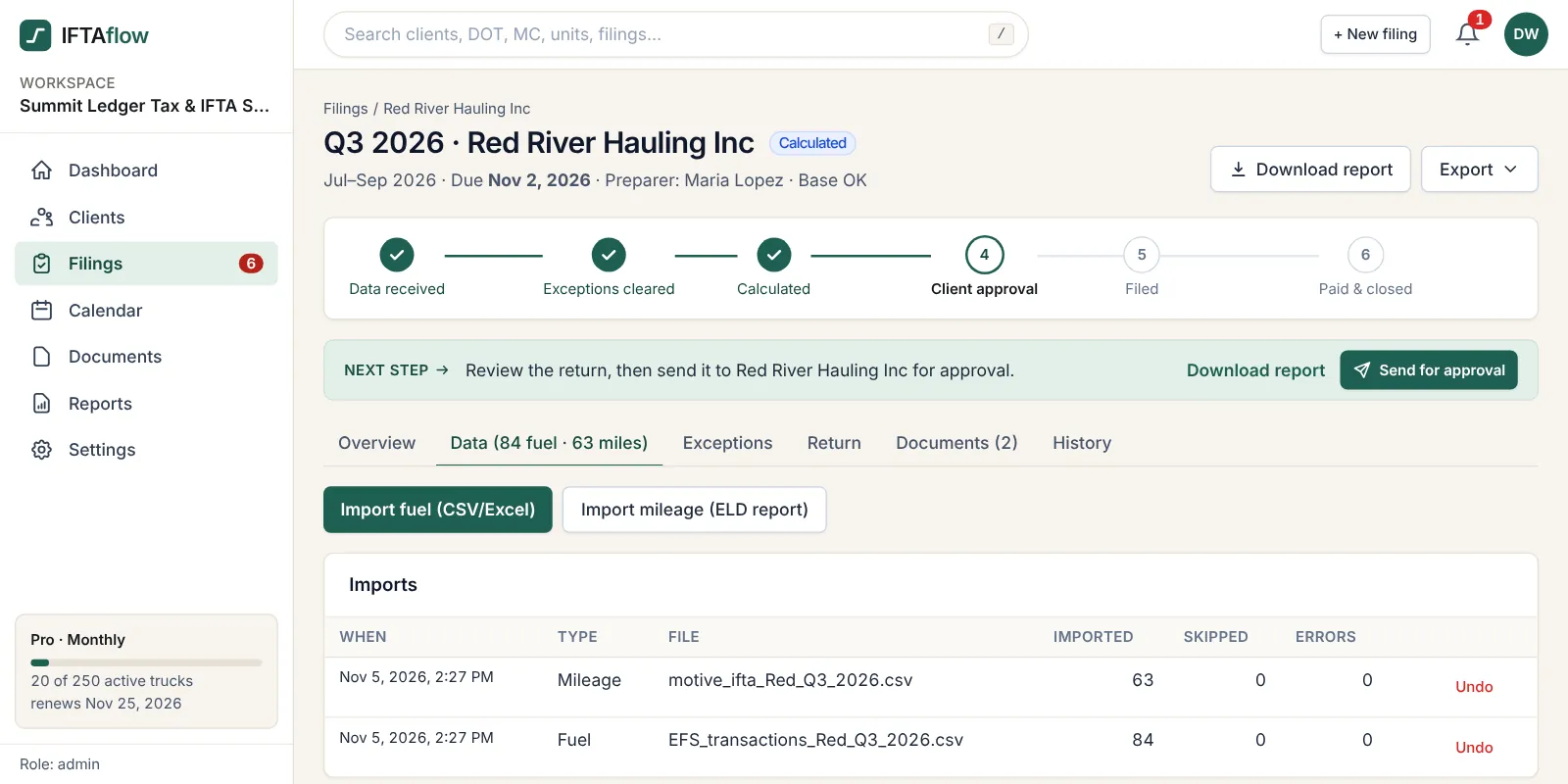 02
Import
Drop in EFS or other fuel card exports and ELD mileage reports. Column mappings are saved per client, so next quarter is one upload.
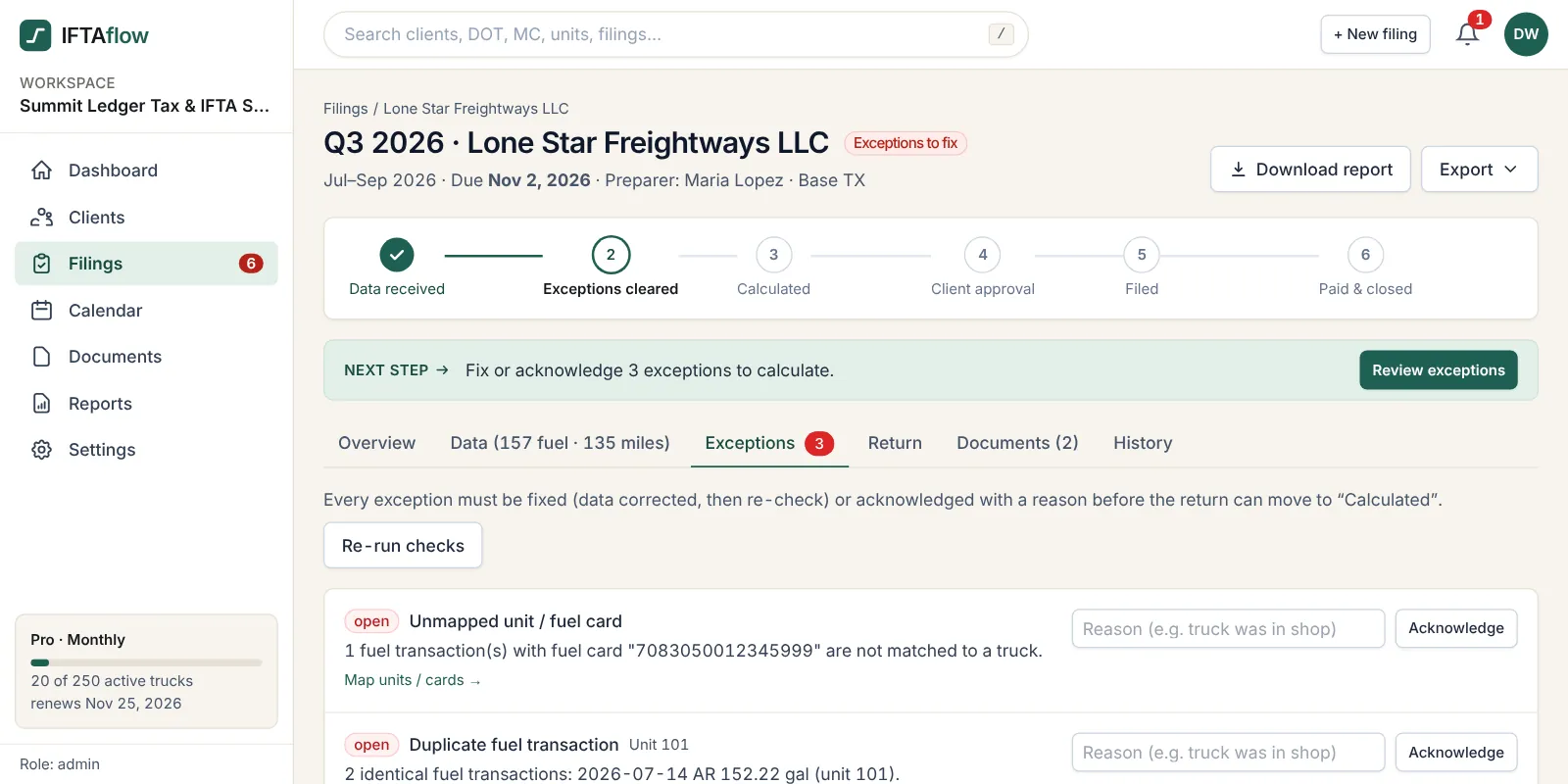 03
Fix exceptions
Fuel bought where a truck never drove, MPG outliers, duplicates, unmapped cards and date gaps are flagged before anything is calculated.
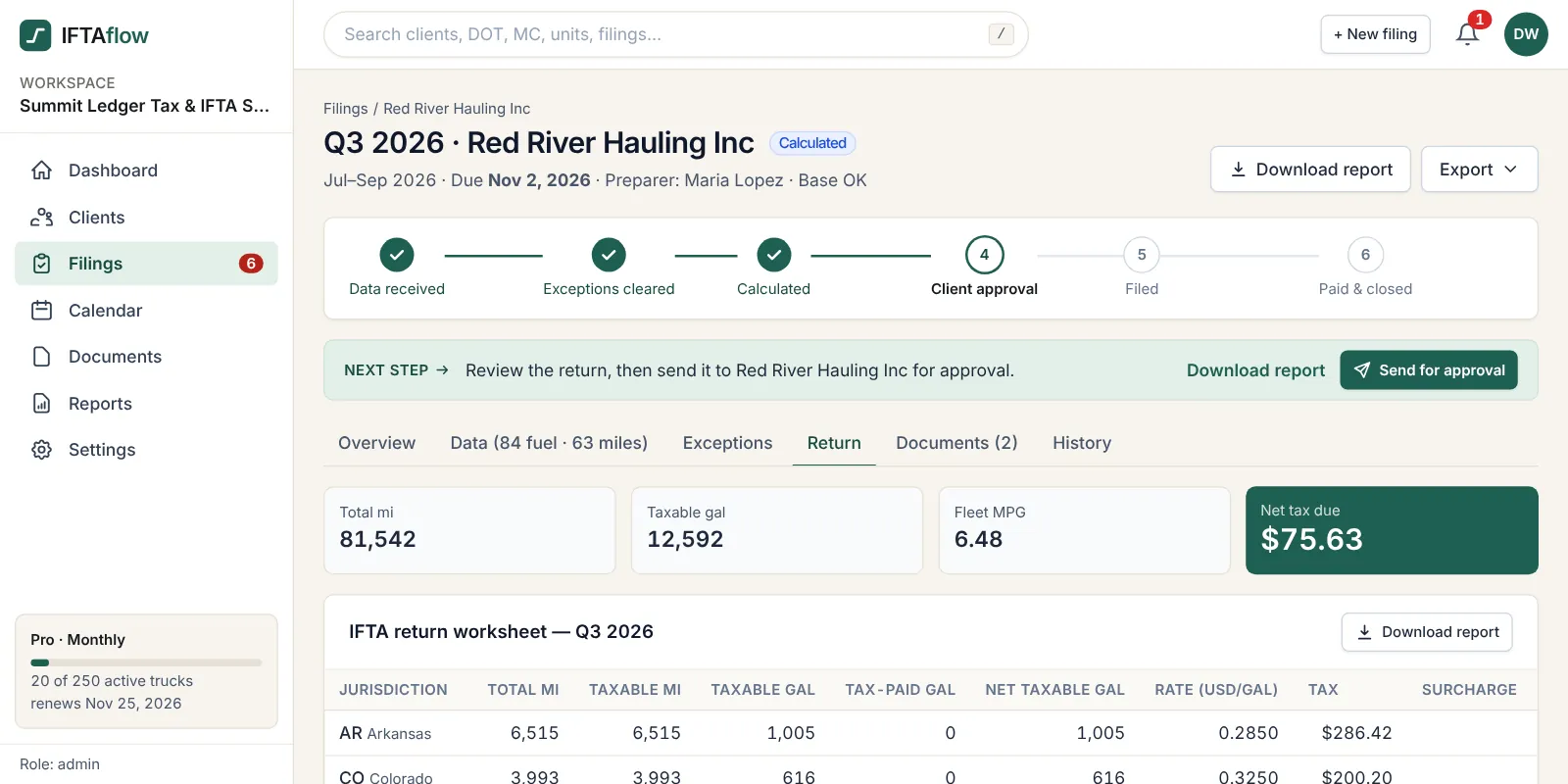 04
Calculate & approve
Fleet MPG, taxable and tax-paid gallons, tax or credit per jurisdiction, laid out like the state worksheet. The carrier approves the PDF online.
 05
File & archive
Record the filing, payment and confirmation number. The quarter locks with every input and rate used, ready for an audit years later.
See every filing’s status at a glance.
Every carrier moves across the same board: data requested, exceptions, client approval, filed. You see who owes you data and what’s stuck — across every preparer in your office.
Data requested 3
Exceptions 2
Client approval 4
Filed 11
Every step of the quarter, in one place
The IFTA math, done the same way every time
Fleet MPG, taxable gallons, tax-paid gallons and net tax or credit per jurisdiction, using the IFTA, Inc. quarterly rate matrix. Every return records the rate version it used.
Deadline calendar & reminders
Quarterly due dates, license and decal renewals, and automatic emails to clients and preparers, each one logged.
Carrier upload portal
Carriers upload files and approve reports from a secure link or their own login. No more attachments lost in your inbox.
Exception checks
Fuel in states with no miles, MPG outliers, duplicates, unmapped units and cards, and date gaps — caught before you calculate.
Audit-ready archive
Locked quarterly snapshots, documents tagged by client, quarter and truck, and a one-click audit package per year.
Search everything
Find any client, DOT or MC number, truck, VIN, decal, confirmation number or document from one search bar — with team roles, two-factor sign-in and a full audit log.
Find your state’s IFTA rules
Select a base jurisdiction for who runs IFTA there, where carriers file, and the extra highway taxes IFTA does not cover — like New York HUT, Kentucky KYU or Oregon weight-mile.
Canadian provinces
IFTA quarterly deadlines
Returns are due the last day of the month after each quarter. When that day falls on a weekend or legal holiday, the next business day is the due date. Zero-mile quarters must still be filed. IFTAflow puts every client’s due date on one calendar.
| Quarter | Period | Return due |
|---|---|---|
| Q3 2026 | Jul 1 – Sep 30, 2026 | Mon, Nov 2, 2026 Oct 31 falls on a Saturday |
| Q4 2026 | Oct 1 – Dec 31, 2026 | Mon, Feb 1, 2027 Jan 31 falls on a Sunday |
| Q1 2027 | Jan 1 – Mar 31, 2027 | Fri, Apr 30, 2027 |
| Q2 2027 | Apr 1 – Jun 30, 2027 | Mon, Aug 2, 2027 Jul 31 falls on a Saturday |
Pricing that grows with your clients’ fleets
Unlimited carrier clients on every plan. A truck counts only in a quarter it has miles or fuel. 7-day free trial with a demo workspace. Pay yearly and get two months free. Pay by card or PayPal (ACH and Zelle also accepted).
Solo
≈ $40.83/mo · save $98 (2 months free)or $490/year — 2 months free
- Up to 20 active trucks
- 1 team member
- Unlimited carrier clients
Starter
≈ $82.50/mo · save $198 (2 months free)or $990/year — 2 months free
- Up to 50 active trucks
- 2 team members
- More trucks? Upgrade or contact us
Pro
≈ $207.50/mo · save $498 (2 months free)or $2,490/year — 2 months free
- Up to 250 active trucks
- 5 team members
- More trucks? Upgrade or contact us
Business
≈ $415.83/mo · save $998 (2 months free)or $4,990/year — 2 months free
- Up to 750 active trucks
- 10 team members
- More trucks? Upgrade or contact us
Pay your invoice in one click
Pay online by card or PayPal and your plan is active the moment the payment clears. No checks, no waiting on a bank transfer.
- Secure checkout by Stripe and PayPal, both PCI DSS Level 1 payment processors.
- IFTAflow never sees or stores your full card number.
- Instant activation and an emailed receipt for your books.
- Monthly or yearly invoices. Turn autopay on or off any time.
Prefer the old way? ACH bank transfer, Zelle and crypto are still accepted. Details are on every invoice.
Questions firms ask
Who is IFTAflow for?
Accounting and bookkeeping firms, permit and compliance services, and IFTA service providers that prepare quarterly IFTA returns for several trucking carriers. It is not a GPS or ELD product for a single fleet.
Can I try it before paying?
Yes. Create a free 7-day trial in the app; it opens with a demo workspace of sample carriers, trucks and a full quarter of data, so you can run imports, exceptions, calculations and filings right away. No credit card is required.
Do I need API integrations with EFS or my clients’ ELDs?
No. IFTAflow imports the CSV and Excel exports carriers already have: fuel card transactions (for example EFS) and ELD IFTA mileage reports (for example Samsara, Motive, Geotab). Column mappings are saved per client, so each quarter is a quick upload.
Does IFTAflow file the return with the state?
No. IFTAflow prepares the return summary in the layout of the state worksheet, tracks the filing, payment and confirmation, and archives everything for audits. Your firm files in the base jurisdiction’s portal.
Where do the tax rates come from?
Rates are loaded each quarter from the IFTA, Inc. quarterly tax rate matrix and shared across all workspaces. Every finished return records which rate version was used.
How is pricing calculated?
Plans are based on active trucks across all of your carrier clients, with unlimited carriers on every plan. A truck counts as active in a quarter only if it has miles or fuel in that quarter.
How do we pay?
You get a monthly or yearly invoice from IFTAflow and can pay online by card or PayPal in one click. ACH bank transfer, Zelle and crypto are also accepted; details are on every invoice.
Is our clients’ data secure?
Each firm’s workspace is fully isolated. Connections are encrypted, passwords are hashed, two-factor sign-in is available, and every change is recorded in an audit log.
Run a whole quarter in one place.
The demo opens with a sample firm: 8 carriers and a full quarter of fuel and mileage data. Take it from data request to filed return in minutes — then add your own clients.